How to dub a YouTube video into Urdu
اردوA simple guide for creators: make an Urdu version of your own YouTube video — same voices, same music — and grow a new audience.
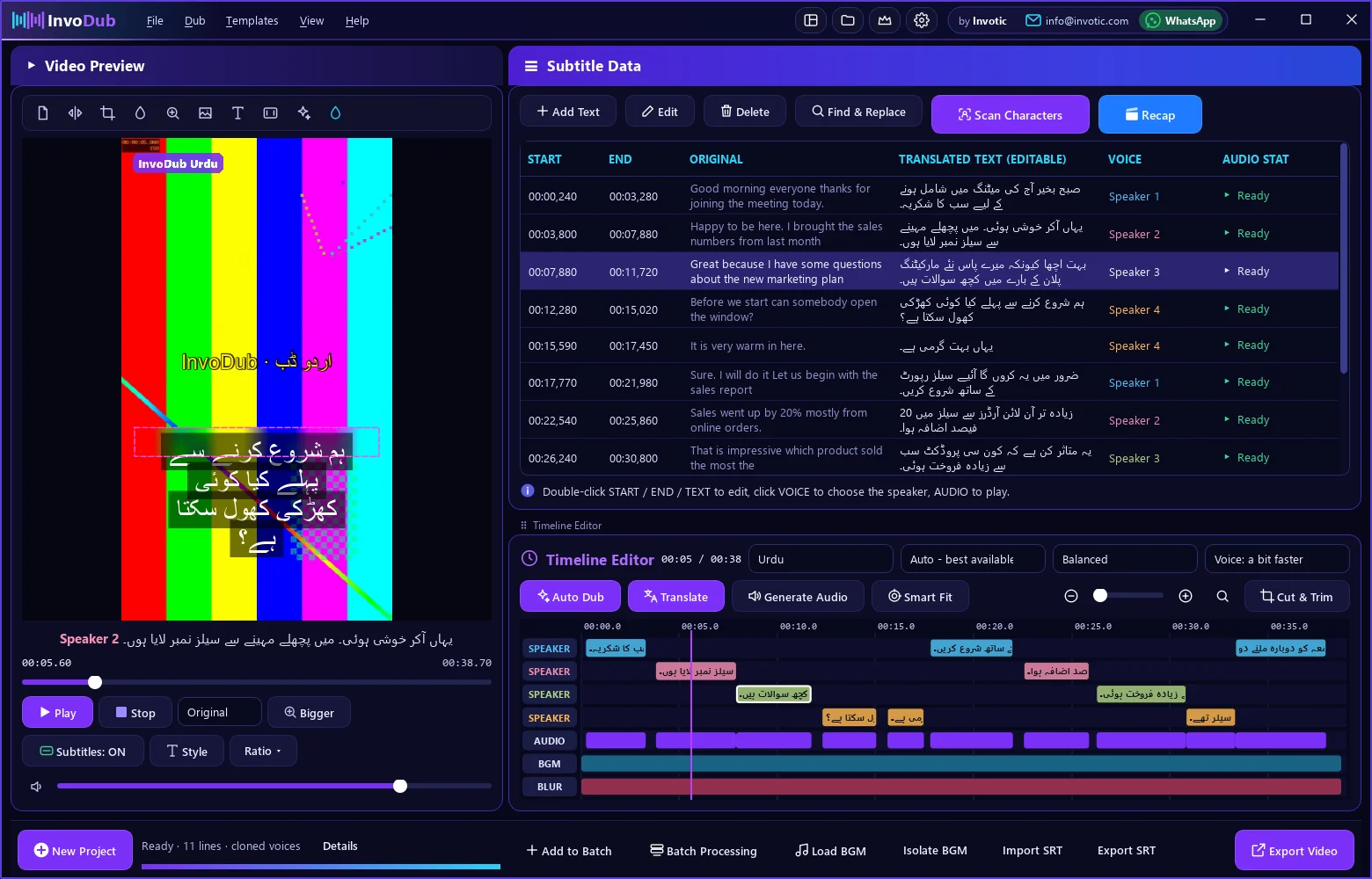
How to do it
- Download your own video file (from YouTube Studio or your editing project).
- Open InvoDub, click the video area and choose the file.
- Choose Urdu as the target language in the Timeline bar.
- Press Auto Dub. InvoDub finds the speakers, translates and makes the Urdu voices.
- Listen with Preview → Dubbed. Double-click any line to change the Urdu text.
- Press Export Video and choose the YouTube preset.
- Upload it as a new Urdu video, or add the Urdu audio as an extra language track.
Why make an Urdu version?
Urdu viewers search in Urdu. A dubbed version reaches people who skip videos in a language they don't speak.
Keep your style
Your voice, your music and your edits stay — only the language changes.
Shorts and TikTok too
Export 9:16 versions of the same dub for Shorts, TikTok and Reels.
Questions
Can I dub someone else's YouTube video?
Only dub videos you own or have permission to use. Re-uploading other people's videos can break YouTube's rules and copyright law.
Will the Urdu voice sound like me?
Yes, InvoDub copies the voice from your video and speaks the Urdu lines with it.
Is it free?
You can try every feature free for 3 days, then $25 for 6 months.